Rotations, raid draws,FATEs and crafting.
Rotations for every combat job and Fight Studio for drawing your own raid strats on the floor. Out of combat there's a FATE bot, navmesh travel and a crafting solver that clears Cosmic Exploration expert recipes. You set it all up in game from the xSalice menu.
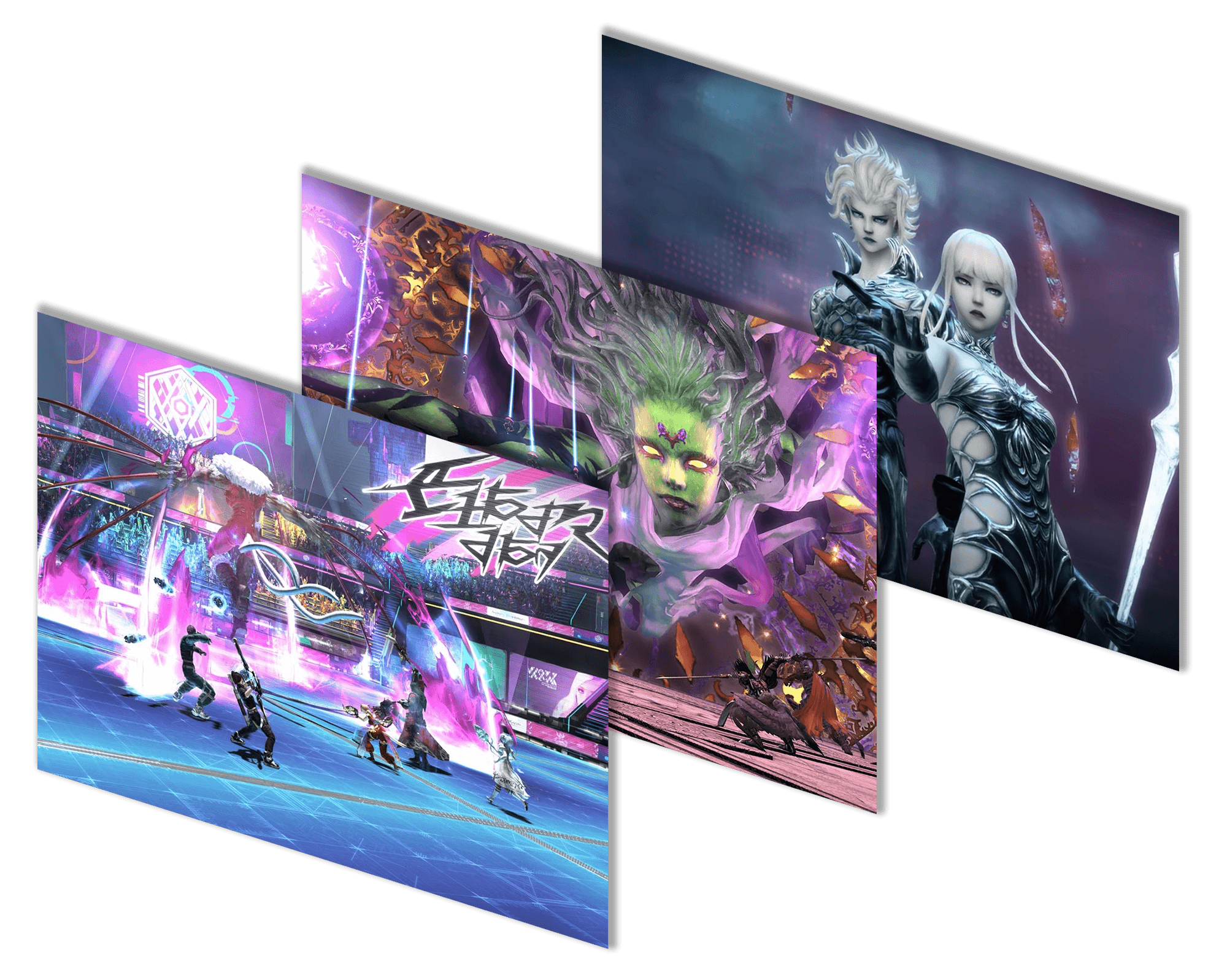
Raids and rotations
Draw the strat your static uses, check it on a recorded pull, and let Assist handle the rotation.
Fight Studio
Record your pulls, then draw each mechanic on the floor: where to stand, what to dodge, which tower is yours. Check it against a saved pull before raid night, import Splatoon presets, or describe a mechanic to Ask AI.
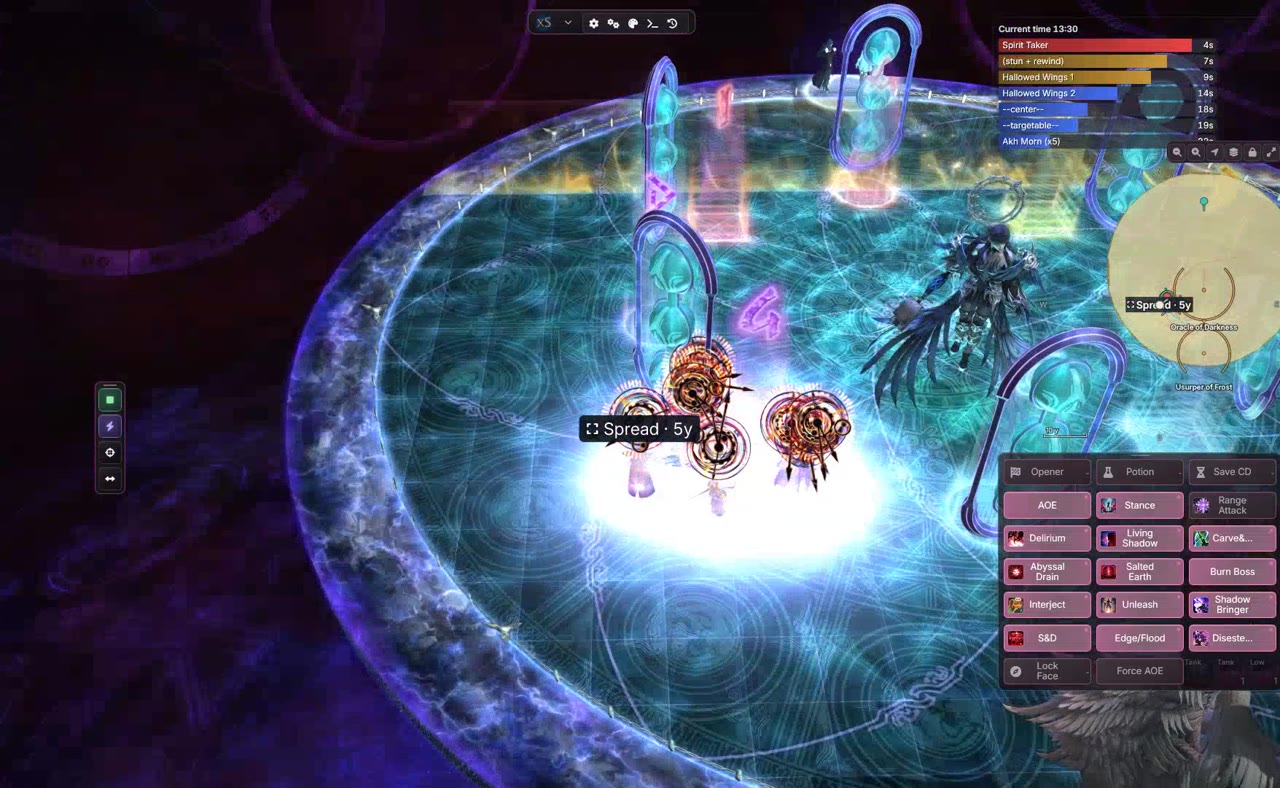
Rotations
Turn on Assist and it plays your job: opener, pots, burst and AoE. Each part has its own toggle, so you can hold cooldowns or force AoE mid-fight.
Telegraph
Shows enemy AoEs on the floor before they go off, including the ones the game gives no marker for.
Reactions
Fire a cooldown, a warning or a callout at a set time in the fight or when a cast starts. Ready-made profiles are in the Profile Library.
Timeline
Upcoming boss casts as countdown bars, so you see the next mechanic coming.
Crafting, FATEs and travel
The out-of-combat grind: crafting without writing macros, gemstones and getting around the map.
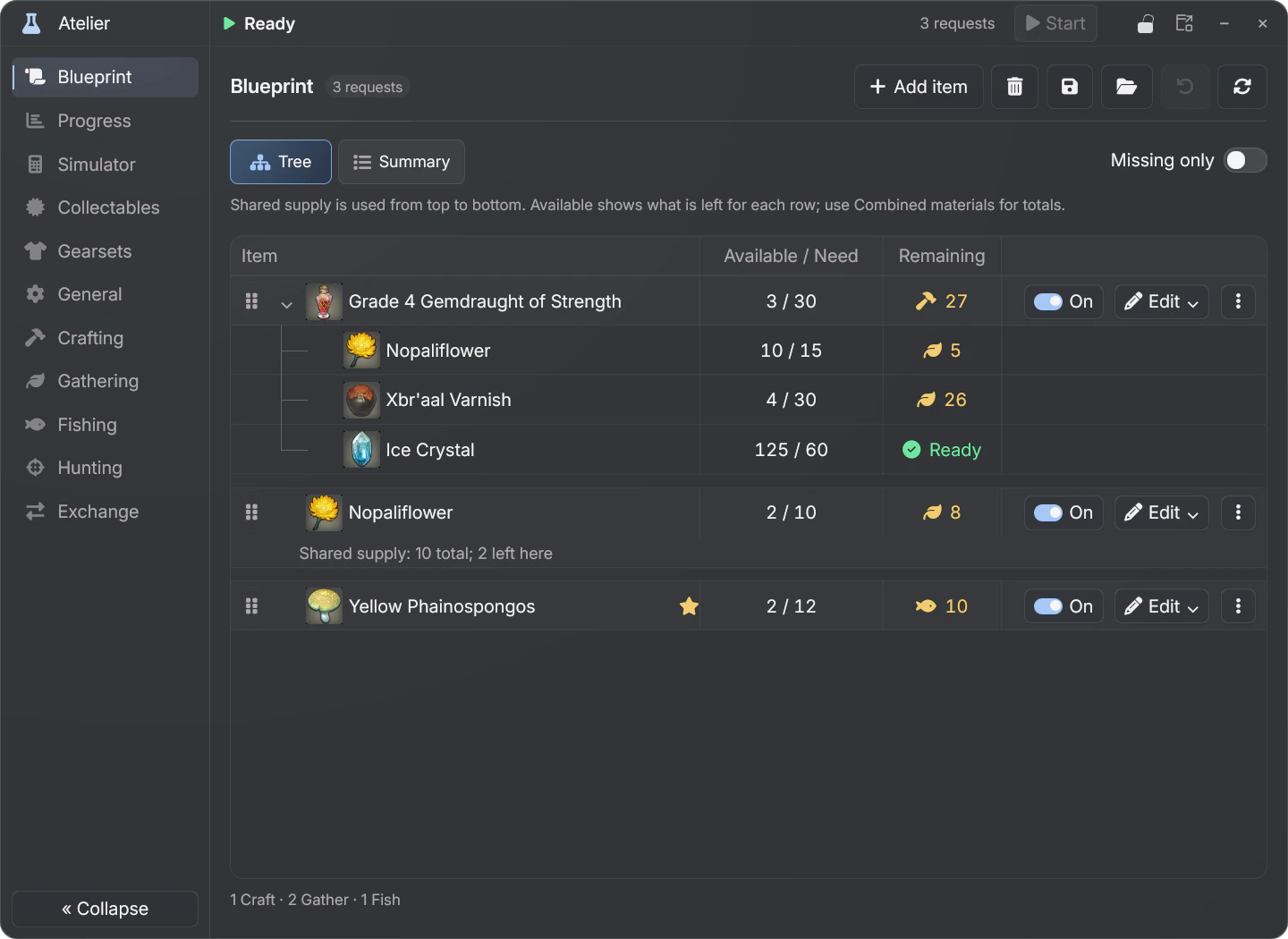
Crafting and gathering
Atelier solves the whole craft before you press anything, expert recipes included, even the hardest Cosmic Exploration missions. Add what you want to the blueprint and it builds the tree: what is still missing, what to gather, fish or craft first, then does it in that order.
FATE Bot
Picks the best FATE in the zone, teleports or flies over and fights it with Assist, then moves on to the next one. Spends your bicolor gemstones, revives you and skips any FATE you blacklist.
Navigation
Navmesh pathing to a map flag or any spot you pick. Walks or flies, mounts up, teleports when that is quicker and gets itself unstuck. The FATE Bot and Atelier use it too.
Also in the menu:
Invite only
Ask for an invite, register with your code, then download the Loader from your dashboard. Once you're in, the guide walks you through the install and every menu.